---
title: "Tmux Floating Panes: Temporary Tasks Without Context Switching"
date: 2025-10-07
excerpt: Tmux Popup Display/Menu & Floax Plugin
tags:
- Tmux
- Terminal
- TUI
- Catppuccin
- Productivity
- Workflow
- Ricing
cover: https://assets.vluv.space/cover/tmux_floating_pane.avif
---
这段时间再体验不同的终端模拟器(Terminal Emulator),包括:
- Windows Terminal
- ~~Wezterm~~: 冷启动速度比较慢,弃用
- iTerm2
- Kitty
- Ghostty
每换一个Terminal就得重新记忆/配置一套快捷键,比较麻烦,于是使用Zellij/Tmux等Terminal Multiplexer来完成Pane/Tabs管理等功能;
Zellij目前功能很完善,配置也比较简单,缺点是与Yazi的Image Preview不兼容[^1] ,使用一段时间后弃用
### Why Popup?
Popup/Floating Pane的核心定位是**临时、轻量、聚焦**的交互入口
终端中的高频临时任务,如查命令手册、分析日志输出、执行git提交等临时任务,在传统模式下可以:
1. 新建一个固定窗格 / 窗口 → 完成临时任务后关闭 → 回到原工作区
2. 结束当前窗口运行的任务 → 执行临时任务 → 恢复原先的任务
传统方案是可行的,但会打断当前的workflow,影响效率;Popup 的特性是一个比较好的解决方案: 无需离开当前核心工作区,通过快捷键快速呼出/关闭弹窗。Browser Company在它们的产品Arc浏览器中也引入了这个feature
## Configs
### Built-in Popup
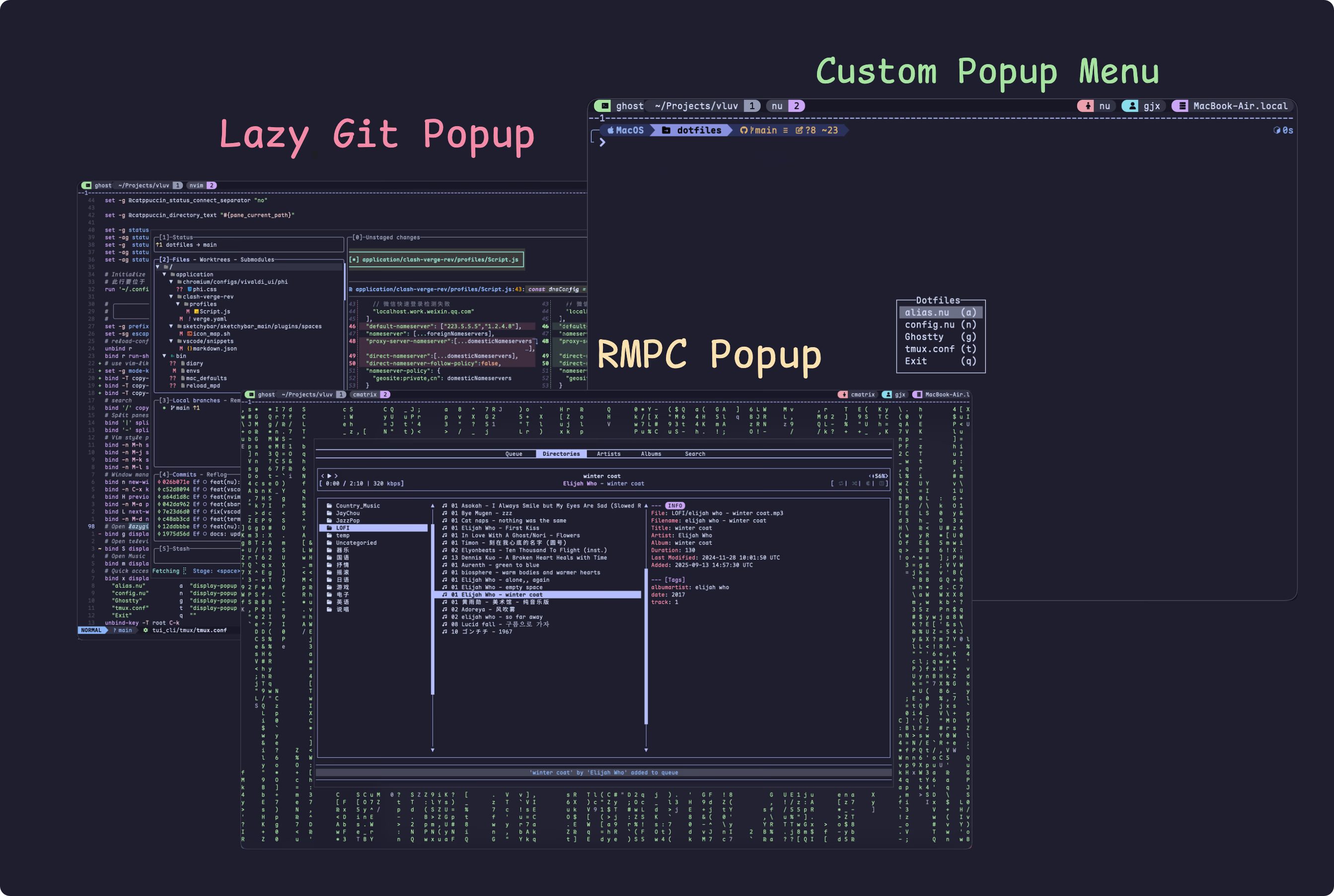
Tmux v3.2+ 引入了 `display-popup`[^2]命令,可使用 `bind` 命令绑定快捷键来打开Popup,如 `bind g display-popup "lazygit"`,按下 `prefix + g` 即可打开lazygit的Popup;
为了更好的体验,这里做了点优化
- 使用`-d "#{pane_current_path}"` 让Popup的工作目录与当前Pane一致
- 例如在`~/projects`目录下打开lazygit,lazygit的工作目录也是`~/projects`,这样不必再再lazygit窗口中选择git repo
- 使用`-w 80% -h 80%` 设置Popup的宽高为当前Pane的80%,这样可以更好的利用屏幕空间
- 使用`-E` 参数,设置在Shell command执行完成后自动关闭Popup。
个人常用的Popup快捷键如下:
- `prefix + g`: 打开lazygit
- `prefix + S`: 打开[[television]]的tmux_sessions channel(用来在不同tmux session中切换)
- `prefix + m`: 打开rmpc(一个mpd客户端)
```shell tmux.conf
# Open lazygit popup
bind g display-popup -d "#{pane_current_path}" -w 80% -h 80% -E "lazygit"
# Open television session channel
bind S display-popup -E "tv tmux_sessions"
# Open Music
bind m display-popup -w 80% -h 80% -E "rmpc"
```
另外,使用 `display-menu`[^3] 命令可以创建一个菜单,例如下面的配置:
```shell
# Quick access to dotfiles (terminal reloaded)
bind x display-menu -T "#[align=centre]Dotfiles" -x C -y C \
"alias.nu" a "display-popup -w 80% -h 80% -E 'nvim ~/.config/nushell/aliases/alias.nu'" \
"config.nu" n "display-popup -w 80% -h 80% -E 'nvim ~/.config/nushell/config.nu" \
"Ghostty" g "display-popup -w 80% -h 80% -E 'nvim ~/.config/ghostty"\
"tmux.conf" t "display-popup -w 80% -h 80% -E 'nvim ~/.config/tmux/tmux.conf'" \
"Exit" q ""
```
### Floax
Tmux内置的Popup功能还算不错,但有些缺点:
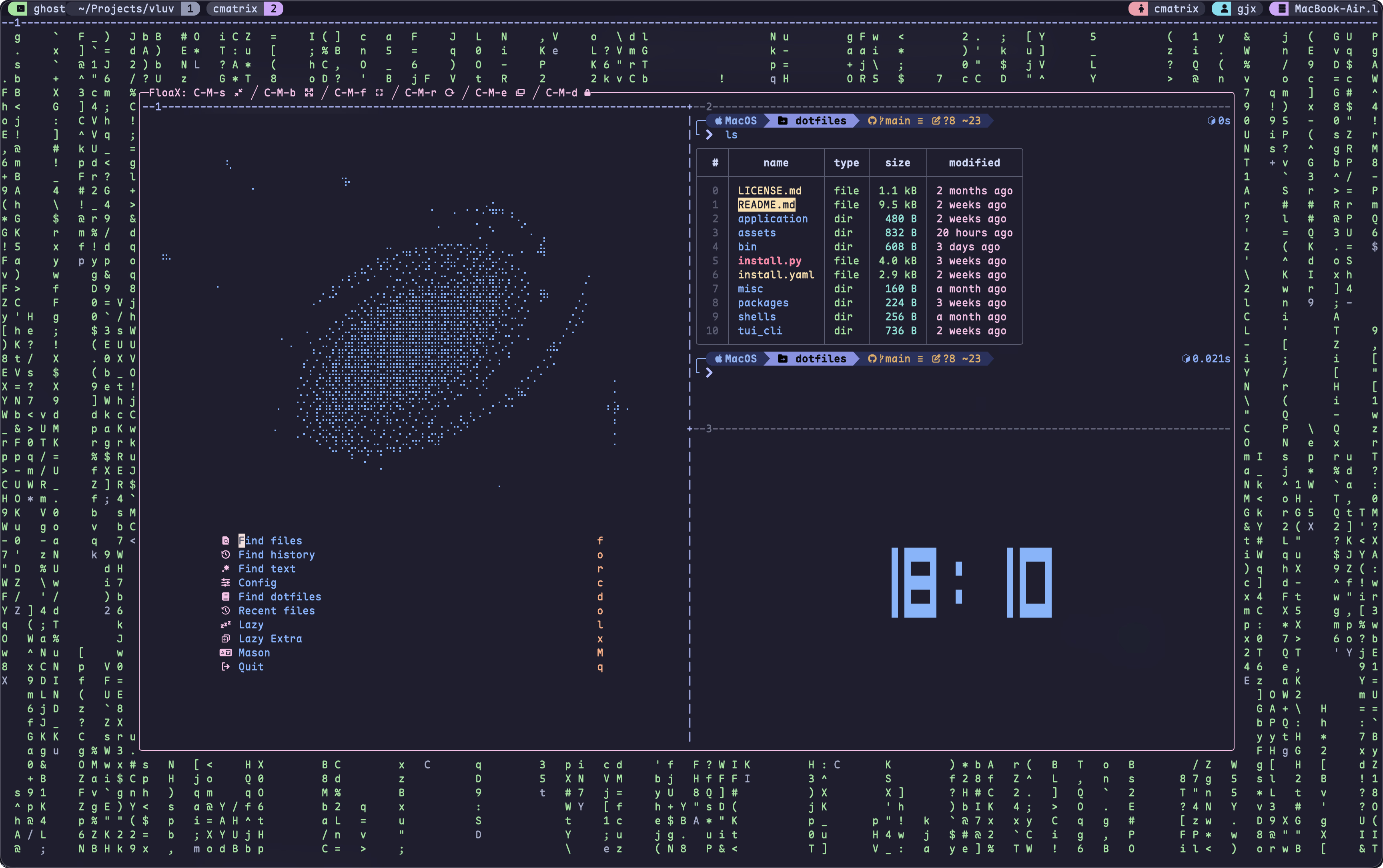
- Zellij支持`Toggle Floating Pane`,例如按下 `Alt + f` 即可打开/关闭浮动Pane,而Tmux的popup不是toggleable的
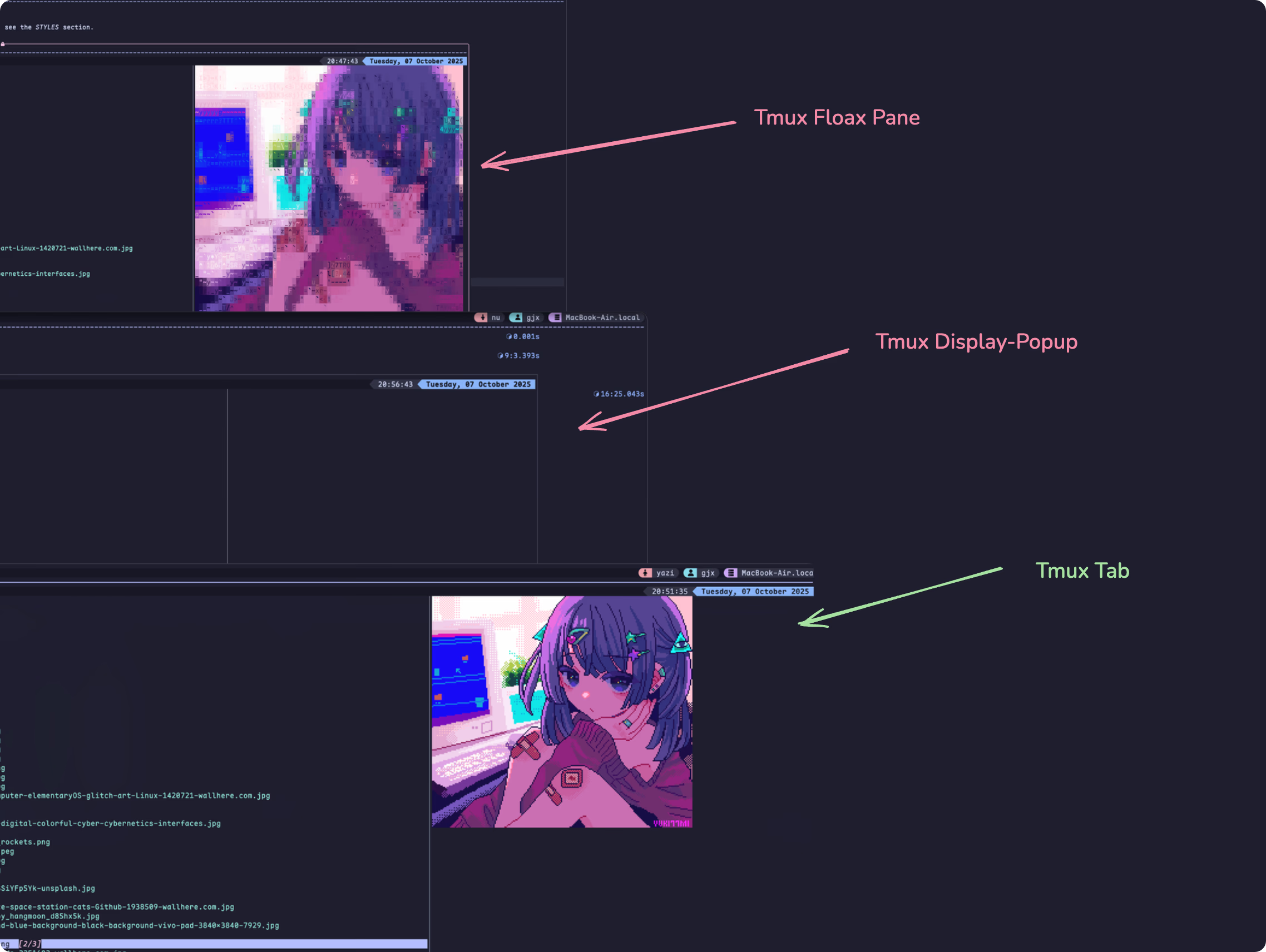
- Tmux popup不支持`allow-passthrough`,从而Yazi等程序的图片预览无法工作
Floax是一个Tmux插件,部分解决了这些痛点。使用tmux插件管理器tpm安装即可,参考配置:
```shell tmux.conf
set -g @plugin 'omerxx/tmux-floax'
set -g @floax-width '80%'
set -g @floax-height '80%'
set -g @floax-border-color 'magenta'
set -g @floax-text-color 'blue'
# toggle float pane的快捷键,使用 -n 表示无需先按prefix键,直接按 Alt + f 触发
set -g @floax-bind '-n M-f'
set -g @floax-change-path 'false'
```
这款插件的图片预览也有奇怪的渲染问题🤦♂️,参考下图:
## Reference
For complete config, see: [Efterklang/dotfiles: window & unix dotfiles](https://github.com/Efterklang/dotfiles)
[^1]: See [Image Preview | Yazi](https://yazi-rs.github.io/docs/image-preview/#zellij),可安装Überzug++作为workaround,但个人使用时存在图片模糊问题
[^2]: Display a popup running shell-command on target-client. A popup is a rectangular box drawn over the top of any panes. Panes are not updated while a popup is present. From [tmux(1) - Linux manual page](https://man7.org/linux/man-pages/man1/tmux.1.html)
[^3]: Display a menu on target-client. target-pane gives the target for any commands run from the menu. From [tmux(1) - Linux manual page](https://man7.org/linux/man-pages/man1/tmux.1.html)