---
title: Configuring Music Player Daemon (MPD) and Clients on macOS
date: 2025-10-18
excerpt: This article introduces Music Player Daemon (MPD) and its clients MPC and RMPC for a lightweight, customizable music playback experience on UNIX.
tags:
- Music
- FOSS
- Rust
- UNIX
- Catppuccin
- Ricing
- Dotfiles
cover: https://assets.vluv.space/cover/rmpc_cover.avif
---
## Music Player Daemon
### Setup MPD
安装后,可以通过如下命令创建配置目录并启动/关闭mpd服务。这里个人按照 XDG Base Directory Specification,将mpd配置文件放在 `~/.config/mpd/` 目录下
MPD is an audio player that has a server-client architecture. **[MPD](https://www.musicpd.org/)** plays audio files, organizes playlists and maintains a music database, all while using very few resources. In order to interface with it, a separate [client](https://wiki.archlinux.org/title/Music_Player_Daemon#Clients) is needed.
```shell
# The default config dir is ~/.mpd
# I prefer use $XDG_CONFIG_PATH to store mpd config;
mkdir ~/.config/mpd
mkdir ~/.config/mpd/playlists
# Start/Kill Mpd
mpd ~/.config/mpd/mpd.conf
pkill mpd
```
MPD配置[^1]里可以指定多个 `audio_output`,添加 `fifo` 输出可以配合 `cava` 做音乐可视化
```conf ~/.config/mpd/mpd.conf
music_directory "~/Music/CloudMusic"
bind_to_address "127.0.0.1"
port "6600"
audio_output {
type "osx"
name "CoreAudio"
mixer_type "software"
}
audio_output {
type "fifo"
name "my_fifo"
path "/tmp/mpd.fifo"
format "44100:16:2"
auto_resample "no"
use_mmap "yes"
}
```
## MPC
MPC[^2]提供了一个minimalist CLI to MPD,可以够满足基本的播放需求;例如使用如下命令切换歌曲、查看当前播放、根据 ID3Tags[^3] 搜索歌曲等
```shell MPC Examples
# 切换到下一首
$ mpc next
Radiohead - Pyramid Song
[playing] #7/50 0:00/4:49 (0%)
volume: 96% repeat: off random: off single: off consume: off
# 查看当前播放的音乐
$ mpc current
Radiohead - Pyramid Song
# 使用ID3Tags查询音乐文件
$ mpc search artist radiohead
摇滚/Radiohead - Pyramid Song.mp3
摇滚/Radiohead - How Can You Be Sure?.mp3
...
摇滚/Radiohead - Fake Plastic Trees.mp3
摇滚/Radiohead - Black Star.mp3
```
可以利用mpc提供的接口实现一些脚本,或集成到SketchyBar,i3 status等状态栏中
mpd启动后,播放队列默认为空,可以执行下述命令将所有音乐文件添加到队列中
```shell
mpc clear
mpc listall | mpc add
```
## RMPC
如果想要一个更丰富的TUI体验,可以下载RMPC,它是用Rust编写的MPD客户端,功能丰富且高度可配置
> [!INFO]- Rmpc Features
>
> - Album cover art display if your terminal supports either of Kitty, Sixel, Iterm2 protocols, or via ueberzuggpp
> - Cava integration for music visualisation
> - Support for [synchronized lyrics]()
> - Ability to play music from YouTube
> - Configurable (T) UI
> - Configure what information (if any!) is displayed in the header
> - Configure what columns are displayed on the queue pane
> - Completely customize what tabs are rendered and mix and match their content
> - Create any color theme you want
> - Every keybind can be changed, vim-like by default
> - Ranger/LF-like three-column browser through your music library
> - Basic playlist management
> - Support scripting through basic CLI mode and script hooks
> - **Remote control** - Send commands to running rmpc instances (useful for window manager integration).
个人配置后的RMPC界面预览如下:
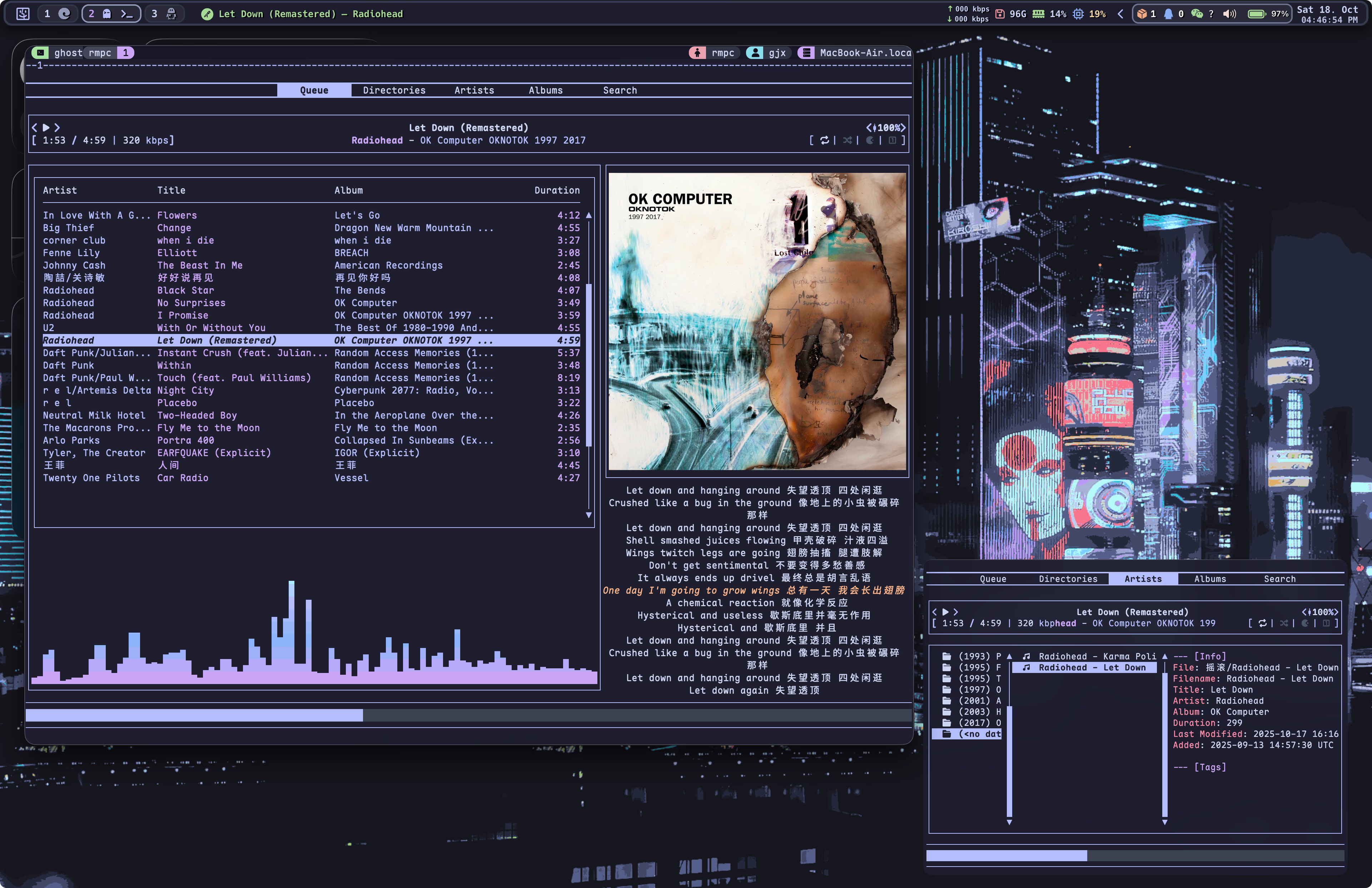
这里特别说一下RMPC的歌词和可视化功能
根据 [Lyrics fetching from the song file · Issue #287](https://github.com/mierak/rmpc/issues/287),RMPC目前还不支持从mp3/flac文件中读取嵌入的歌词标签,要想显示歌词需要额外准备 `lrc` 文件。
现在工具很成熟,可以使用[音乐标签Android版](https://www.cnblogs.com/vinlxc/p/11932130.html) 等软件轻易完成批处理
可以为rmpc添加可视化功能,步骤如下:
1. 安装cava,在mpd配置中添加fifo输出(见上文mpd配置部分)
2. 在rmpc配置中启用cava功能
3. 在Queue Tab中启用cava显示(也可以选择在其他tab显示)
4. cava主题配置
rmpc使用RON (Rusty Object Notation) 作为配置语言,上手需要一定的学习成本,这里就不展开介绍个人的配置细节了,可以参考我的配置仓库[^4]。
## Tweaks
### Now Playing for MPD on macOS
对于MacOS来说,mpd不是一个now-playable app[^5],即在播放音乐时,MacOS的now-playing组件无法显示当前播放的音乐信息,此外也无法使用多媒体按键进行控制。
解决方案:
1. 下载 [mpd-now-playable](https://github.com/00dani/mpd-now-playable)
```shell
brew install pipx
pipx install mpd-now-playable
```
2. 安装好后,运行 `mpd-now-playable` 即可,可执行文件路径位于 `~/.local/bin`
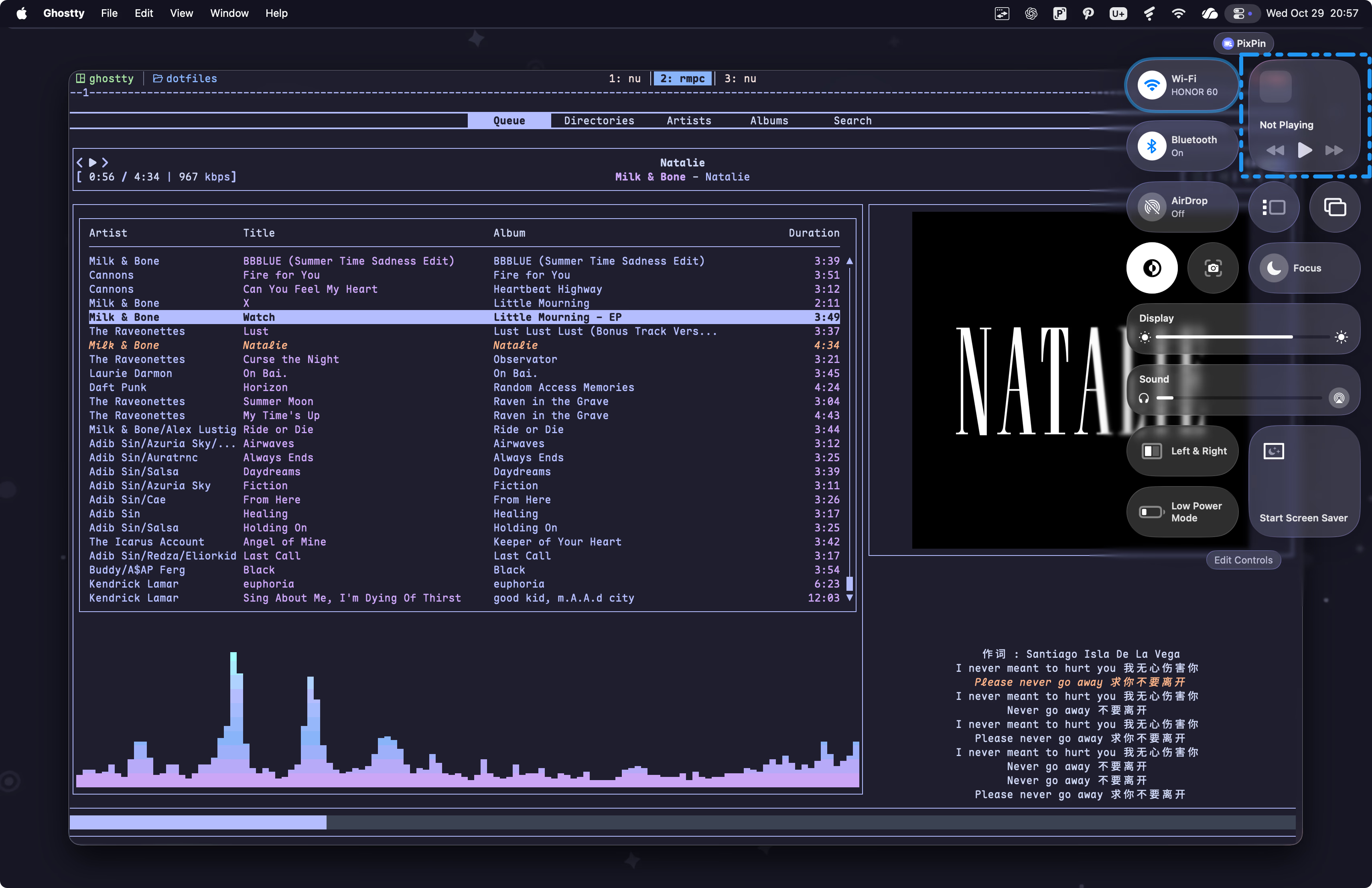
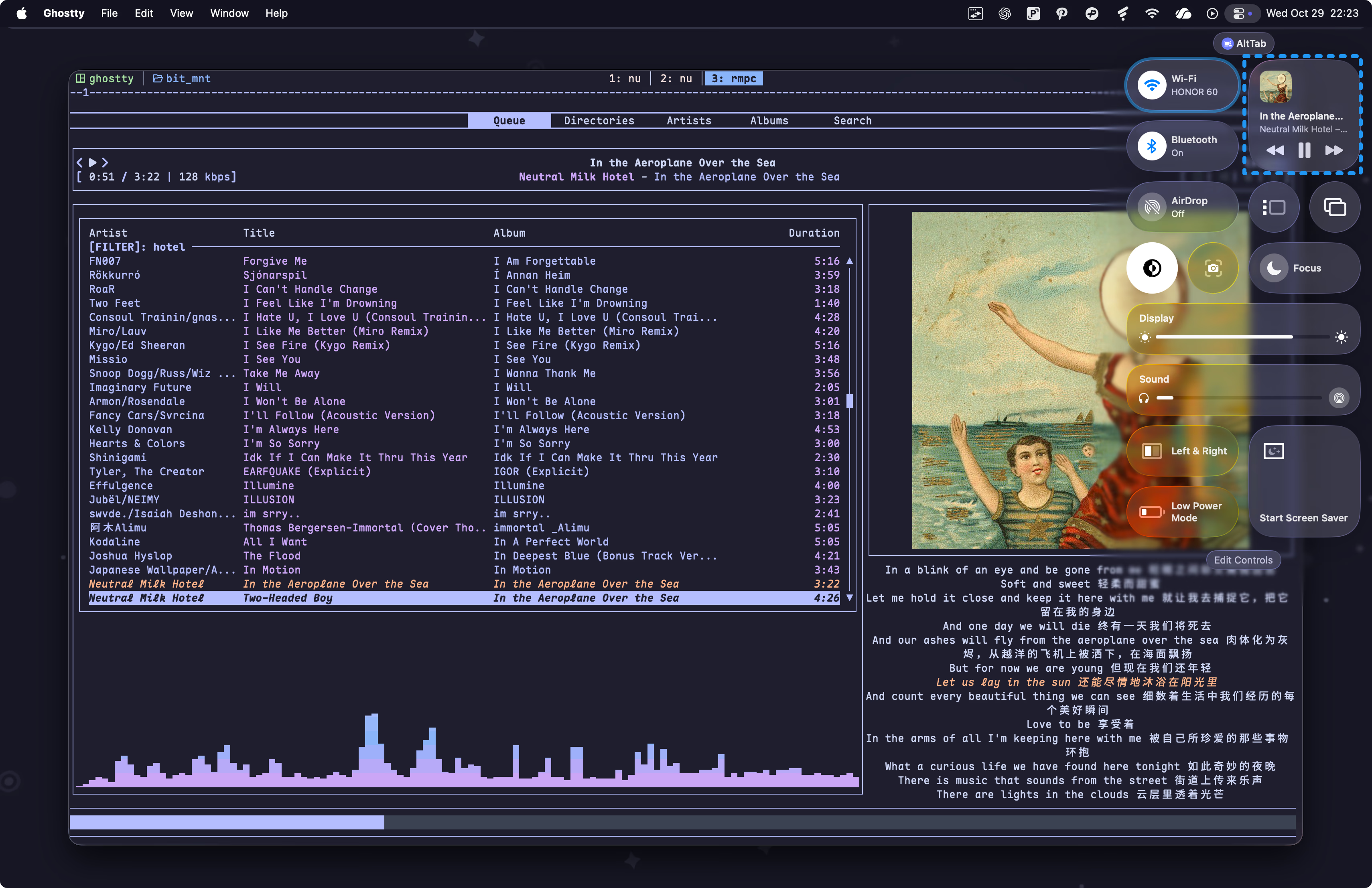
[^1]: Check [mpd.conf — Music Player Daemon 0.25~git documentation](https://mpd.readthedocs.io/en/latest/mpd.conf.5.html) for detailed documentation.
[^2]: Music Player Client, [mpc - Music Player Daemon](https://www.musicpd.org/clients/mpc/)
[^3]: [ID3 - 维基百科,自由的百科全书](https://zh.wikipedia.org/wiki/ID3)
[^4]: Visit GitHub for my [Mpd Configs](https://github.com/Efterklang/dotfiles/tree/main/tui_cli/mpd) & [Rmpc Configs](https://github.com/Efterklang/dotfiles/tree/main/tui_cli/rmpc)
[^5]: [Becoming a now playable app | Apple Developer Documentation](https://developer.apple.com/documentation/mediaplayer/becoming-a-now-playable-app)