

Music Player Daemon
Setup MPD
After installing, you can create the config directory and start/stop the mpd service with the commands below. Following the XDG Base Directory Specification, I keep my mpd config under ~/.config/mpd/.
MPD is an audio player that has a server-client architecture. MPD plays audio files, organizes playlists and maintains a music database, all while using very few resources. In order to interface with it, a separate client is needed.
# The default config dir is ~/.mpd# I prefer use $XDG_CONFIG_PATH to store mpd config;mkdir ~/.config/mpdmkdir ~/.config/mpd/playlists# Start/Kill Mpdmpd ~/.config/mpd/mpd.confpkill mpdThe MPD config[1]Check mpd.conf — Music Player Daemon 0.25~git documentation for detailed documentation. allows multiple audio_output entries. Adding a fifo output lets you pair it with cava for music visualization.music_directory "~/Music/CloudMusic"bind_to_address "127.0.0.1"port "6600"audio_output { type "osx" name "CoreAudio" mixer_type "software"}audio_output { type "fifo" name "my_fifo" path "/tmp/mpd.fifo" format "44100:16:2" auto_resample "no" use_mmap "yes"}
MPC
MPC[2]Music Player Client, mpc - Music Player Daemon provides a minimalist CLI to MPD that covers basic playback needs. For example, the commands below switch tracks, show what’s currently playing, and search songs by ID3Tags[3]ID3 - Wikipedia.# Skip to the next track$ mpc nextRadiohead - Pyramid Song[playing] #7/50 0:00/4:49 (0%)volume: 96% repeat: off random: off single: off consume: off# Show the currently playing track$ mpc currentRadiohead - Pyramid Song# Search music files by ID3Tags$ mpc search artist radiohead摇滚/Radiohead - Pyramid Song.mp3摇滚/Radiohead - How Can You Be Sure?.mp3...摇滚/Radiohead - Fake Plastic Trees.mp3摇滚/Radiohead - Black Star.mp3
You can build scripts on top of mpc’s interface, or integrate it into status bars like SketchyBar or i3status.
After mpd starts, the play queue is empty by default. Run the following to add all music files to the queue:mpc clearmpc listall | mpc add
RMPC
If you want a richer TUI experience, try RMPC, an MPD client written in Rust that is feature-rich and highly configurable.
Here is a preview of my configured RMPC interface:
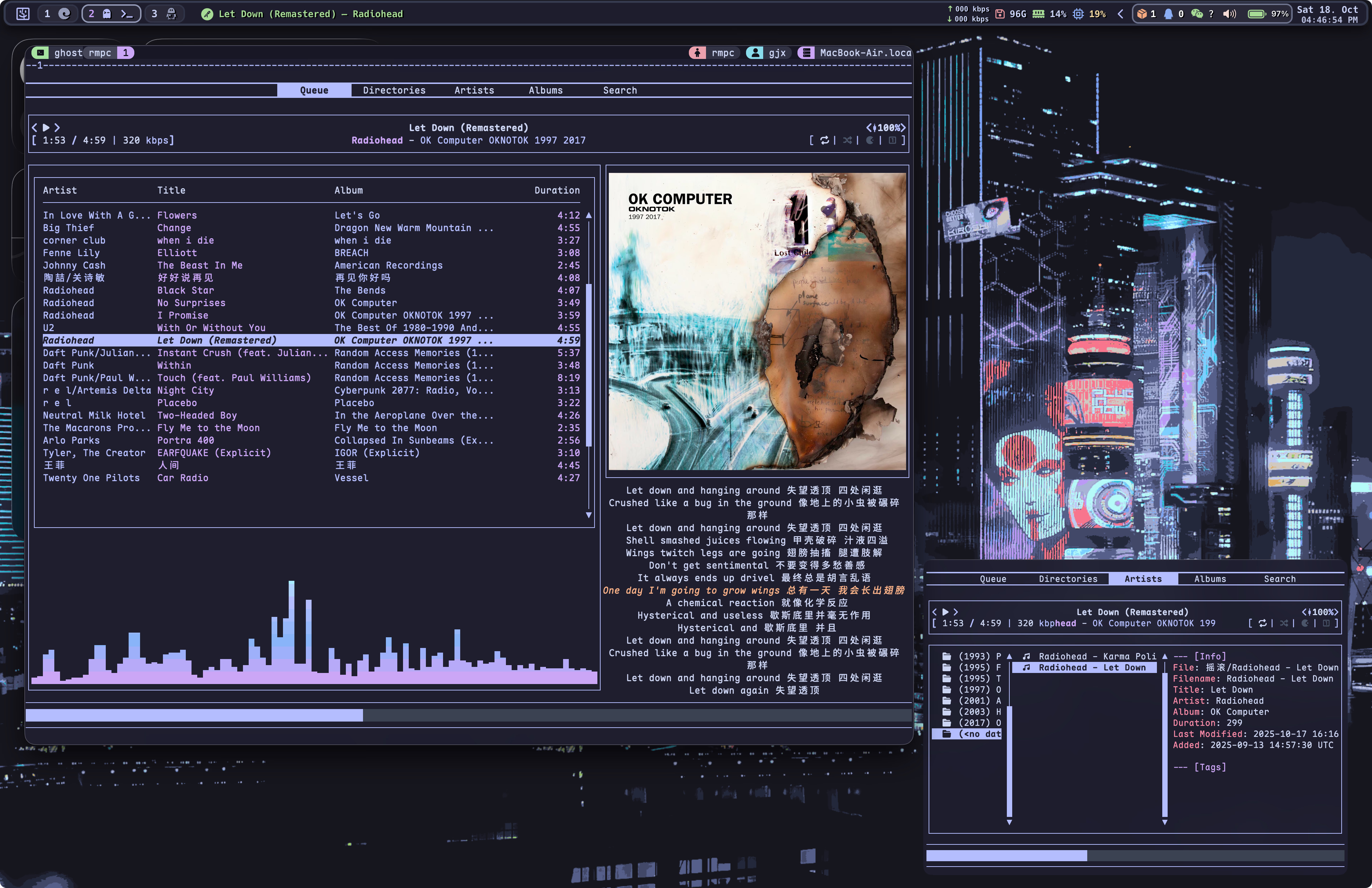
Two features worth calling out are RMPC’s lyrics and visualization support.
According to Lyrics fetching from the song file · Issue #287, RMPC does not yet support reading lyrics tags embedded in mp3/flac files. To display lyrics, you need separate lrc files.
The tooling for this is mature. Software like MusicTag for Android makes batch processing easy.
To add visualization to rmpc:
- Install cava, and add a fifo output to the mpd config (see the mpd config section above)
- Enable the cava feature in the rmpc config
- Enable the cava display in the Queue tab (or any other tab you prefer)
- Configure the cava theme
rmpc uses RON (Rusty Object Notation) as its configuration language, which takes some learning. I won’t go into my configuration details here; see my config repo[4]Visit GitHub for my Mpd Configs & Rmpc Configs for reference.
Tweaks
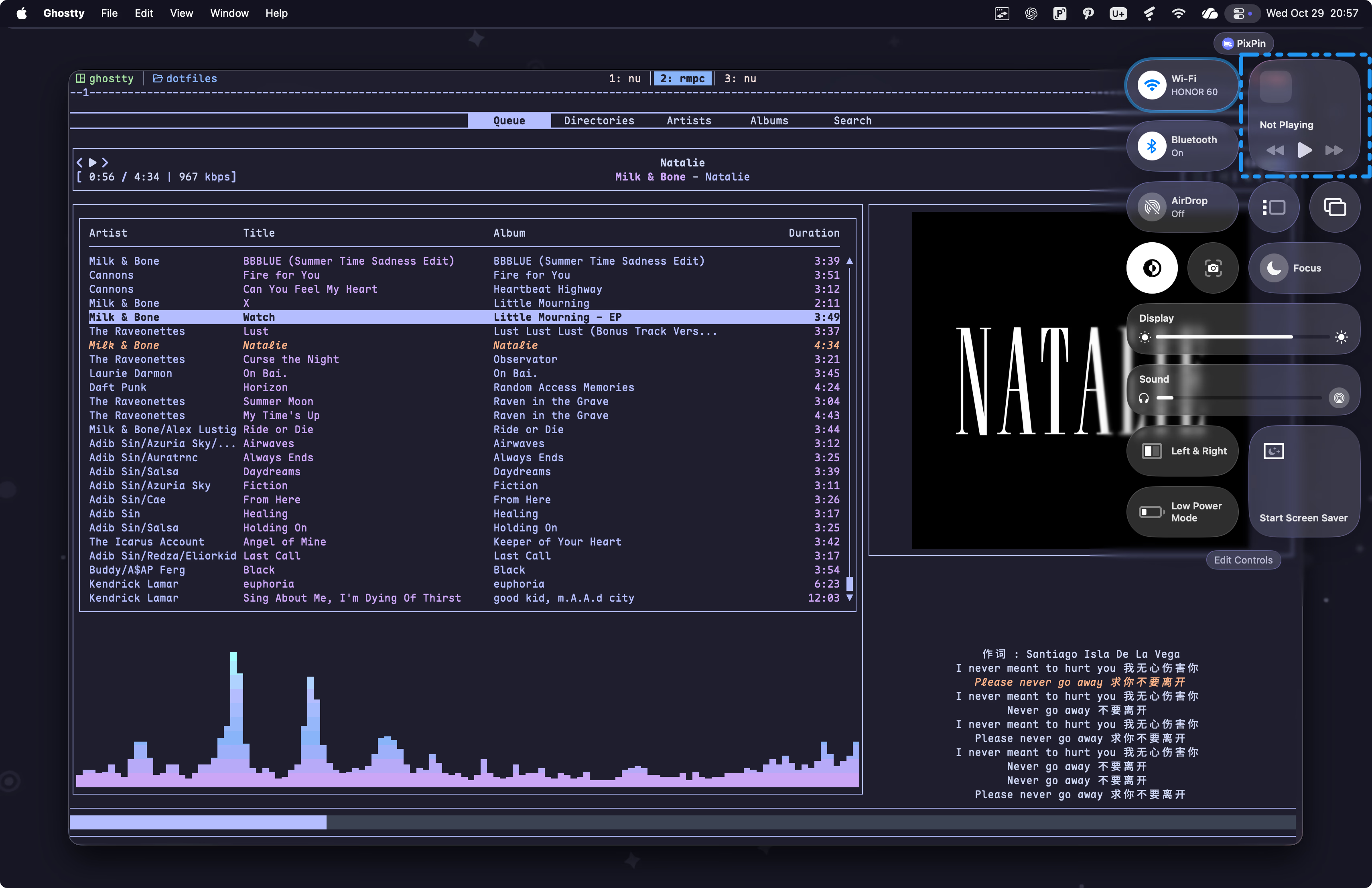
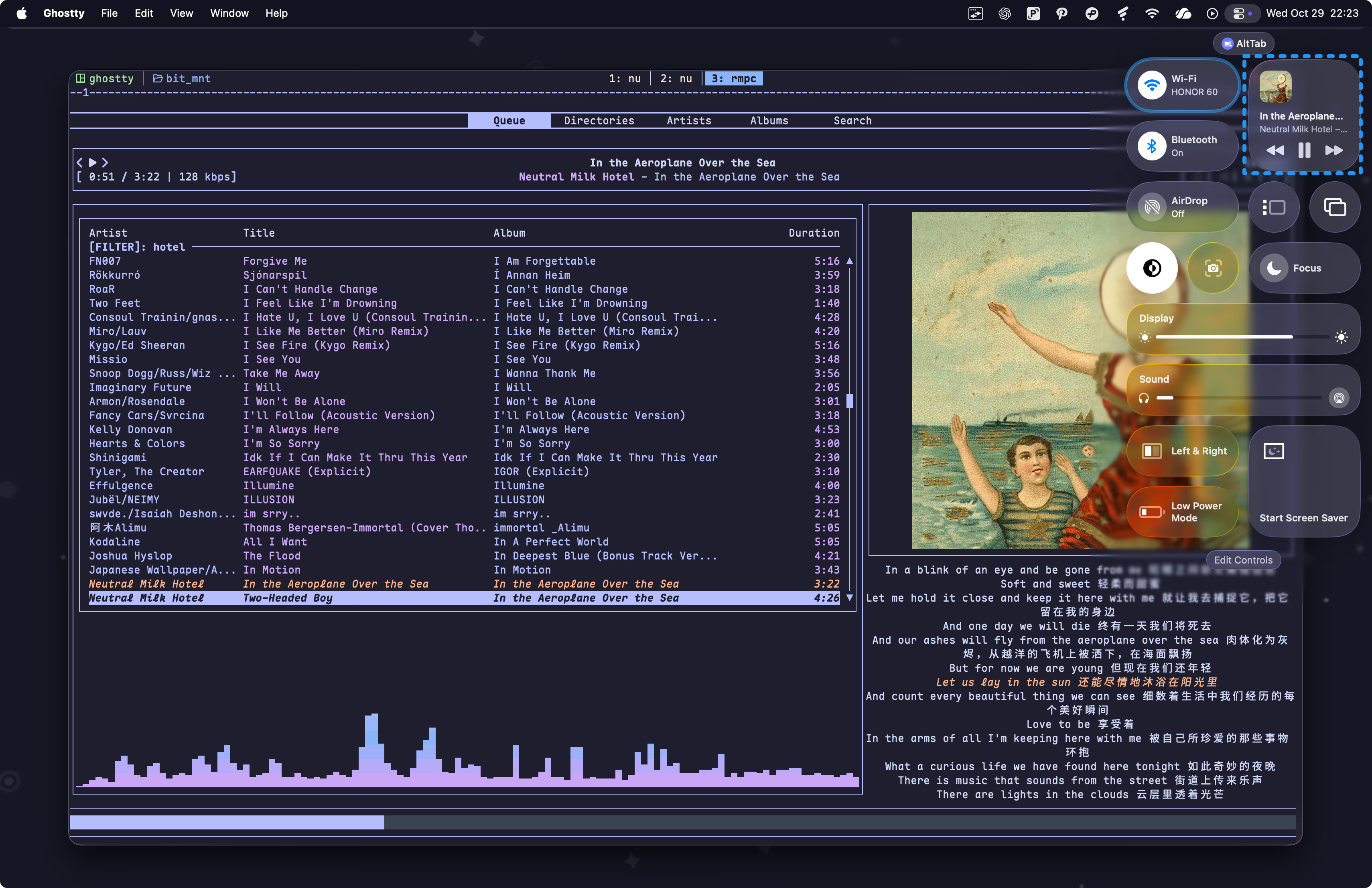
Now Playing for MPD on macOS
On macOS, mpd is not a now-playable app[5]Becoming a now playable app | Apple Developer Documentation: while playing music, the macOS now-playing widget shows no information about the current track, and the media keys don’t work either.
The fix:
-. Install mpd-now-playablebrew install pipxpipx install mpd-now-playable
-. Once installed, just run mpd-now-playable. The executable lives in ~/.local/bin.
Check mpd.conf — Music Player Daemon 0.25~git documentation for detailed documentation. ↩︎
Music Player Client, mpc - Music Player Daemon ↩︎
Visit GitHub for my Mpd Configs & Rmpc Configs ↩︎
Becoming a now playable app | Apple Developer Documentation ↩︎