When customizing the status bar on macOS with Sketchybar, you can use the API provided by FelixKratz/SbarLua to interact with SketchyBar:local wifi = SBAR.add("wifi", "item")wifi:set({ label = "My Wife" })
But this module is written in C, and after compilation it becomes the binary file sketchybar.so. The Lua Language Server (Lua LS) cannot analyze it the way it analyzes Lua files, so it cannot provide autocompletion or type hints for its APIs.
Use Stub Files
A stub file is a file containing a skeleton of the public interface of that Python module, including classes, variables, functions – and most importantly, their types.
from Stub files —— mypy 1.18.2 documentation
Similar to the Python community’s approach:
- Create a stub file.
- Write type definitions in the file.
- Configure Lua LS. VS Code can detect it automatically; Neovim needs manual configuration.
Lua Type Definition File
Create ./@types/sketchybar.lua under the Sketchybar configuration directory, and add @meta to mark the file as a meta file[1]Marks a file as “meta”, meaning it is used for definitions and not for its functional Lua code. It is used internally by the language server for defining the built-in Lua libraries . If you are writing your own definition files, you will probably want to include this annotation in them. Lua Language Server | Wiki.
See Lua Language Server | Wiki for the annotation syntax.---@meta---@class SketchybarItem---@field name stringlocal SketchybarItem = {}---@param key string---@param value any---@return SketchybarItemfunction SketchybarItem:set(key, value) end-- ... other method definitions omitted ...---@class Sketchybarlocal Sketchybar = {}--- Creates a new Sketchybar item.--- The `name` is the identifier of the item, if no identifier is specified, it is generated automatically---@overload fun(type: "item"|"space"|"alias", name?: string, properties: table): SketchybarItem---@overload fun(type: "bracket", name?: string, members: table, properties: table): SketchybarItem---@overload fun(type: "slider"|"graph", name?: string, width: number, properties: table): SketchybarItem---@overload fun(type: "event", name: string, notification?: string): SketchybarItem---@return SketchybarItemfunction Sketchybar.add(type, ...) endreturn Sketchybar
Configure Neovim LSP to Recognize the Type Library
Create ./.luarc.json under the Sketchybar configuration directory, and add the type definition path to workspace.library:{ "workspace.library": ["${workspaceFolder}/@types"],}
Result
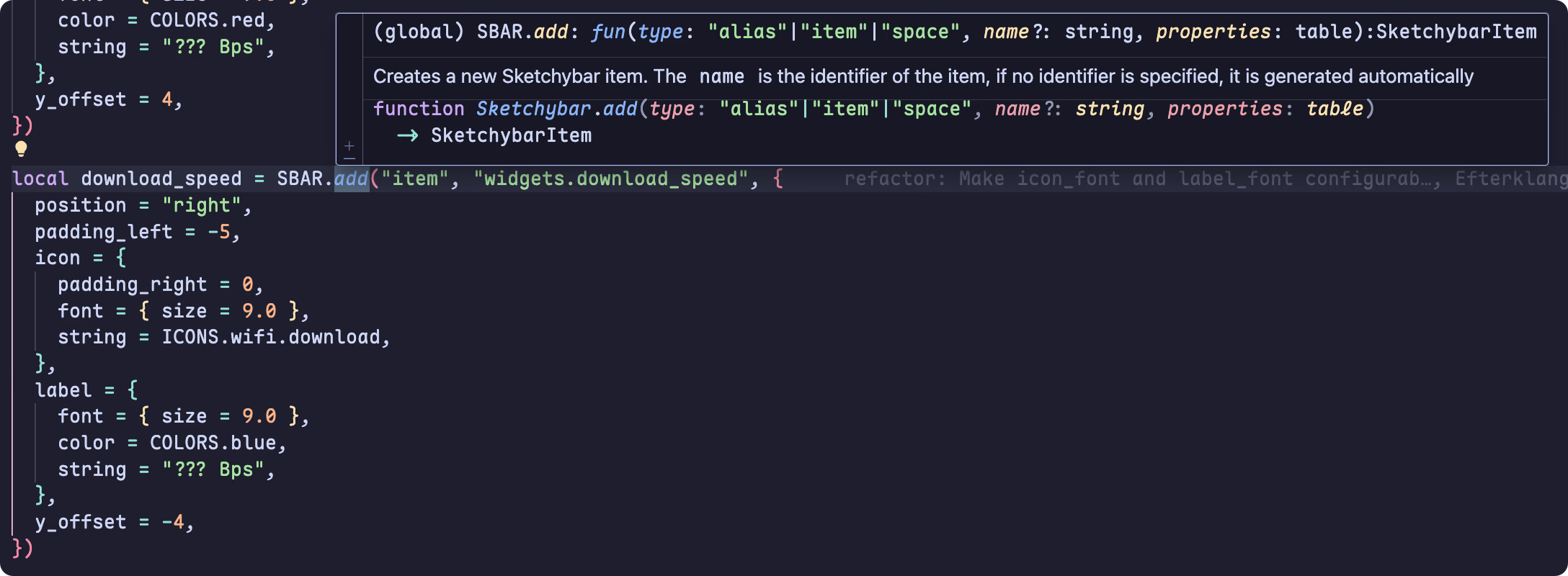
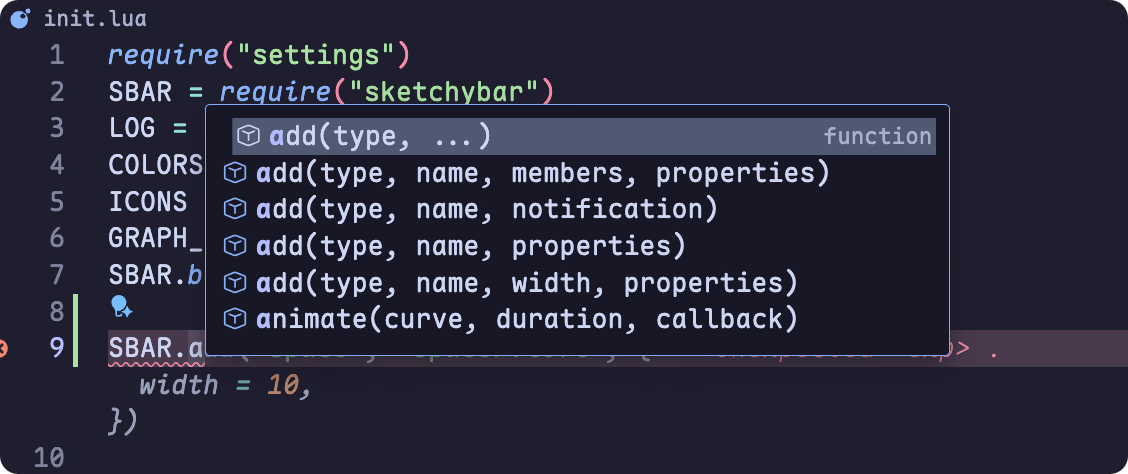
After the steps above, VS Code can correctly provide code completion and hover hints:
Marks a file as “meta”, meaning it is used for definitions and not for its functional Lua code. It is used internally by the language server for defining the built-in Lua libraries . If you are writing your own definition files, you will probably want to include this annotation in them. Lua Language Server | Wiki ↩︎