

Inline Edit Mode: Emacs or Vim
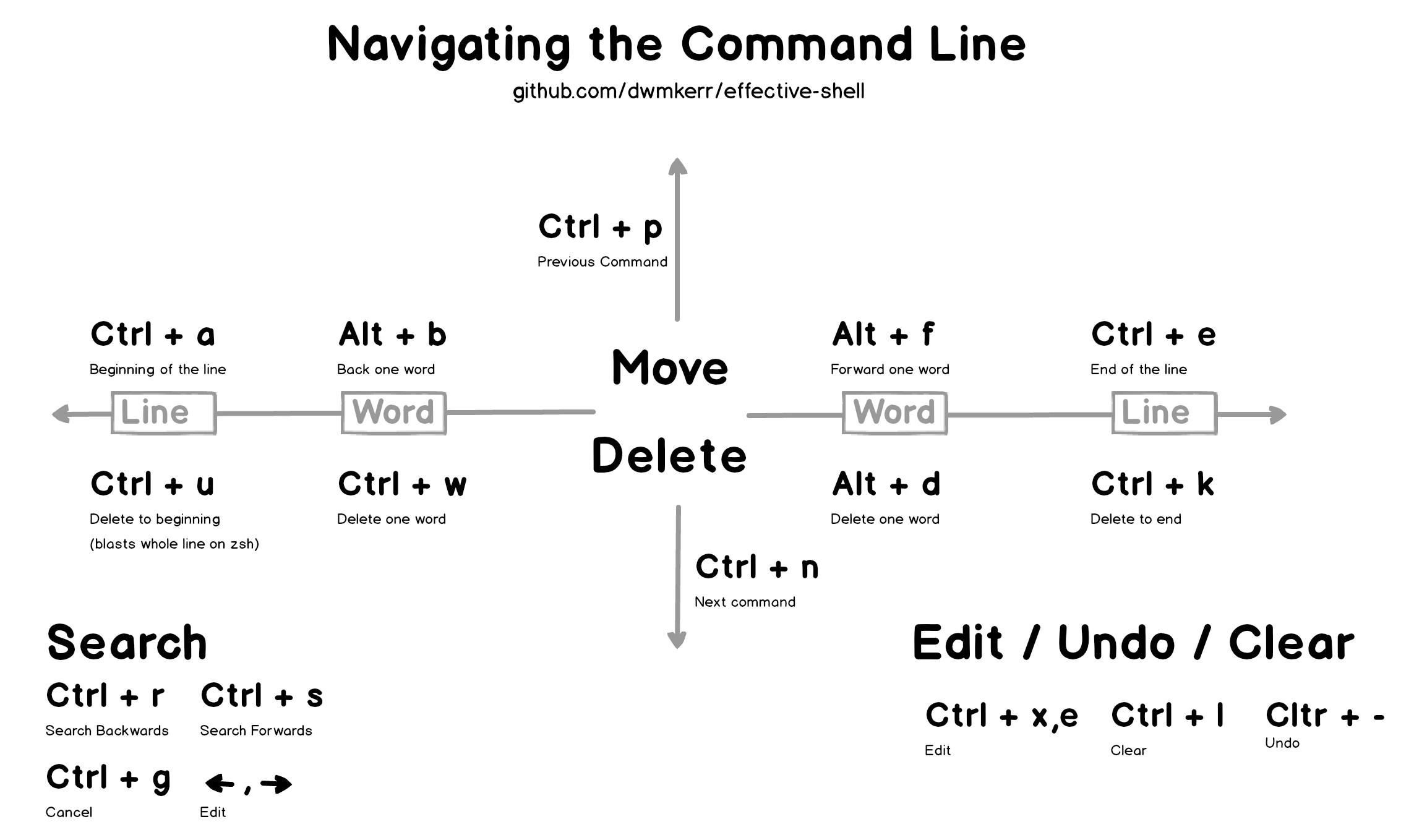
Shells typically use emacs keybindings by default. You can also switch to Vim-style keybindings:
- Bash:
set -o vi - Zsh:
bindkey -v - Nushell:
$env.config.edit_mode = vi - Fish:
fish_vi_key_bindings
Vim Tricks
Text Objects
Text Objects[1]Text Objects can be quotes, brackets, words, sentences, paragraphs, and more. For details, see Motion#text-objects - Neovim docs are the Vim feature that drew me in the most. They let you operate on text by semantic units — deleting content inside brackets or quotes becomes effortless. For example, in NORMAL mode, move the cursor inside a pair of brackets and type di( or dib (delete inside bracket) to delete the text within:$env.LS_COLORS = (vivid generate catppuccin-mocha)# press `dib` inside bracket$env.LS_COLORS = ()
Cursor Jump
Navigating long commands is where Vim keybindings really shine.Key Action w / bNext word / previous word I / AJump to line start and insert / jump to line end and insert F<char>Search backward for <char> and jumpf<char>Search forward for <char> and jump
When editing UNIX or GNU-style command-line arguments, using F/f to hop between arguments feels remarkably smooth.Style Prefix Format Example Jump Strategy Unix -Letter ls -laUse f- to jump to optionGNU --Word grep --colorUse f-Windows /Word DIR /WUse f/
Line Editor
Many shells also support editing commands in an external editor — so you can use NeoVim or Helix to edit your command line. If you don’t mind startup time, even VSCode works. 🤓Shell Vi Mode Emacs Mode Bash Press v in Normal modeCtrl+x Ctrl+eZsh No idea චᆽචNo idea චᆽචFish Alt+eAlt+eNushell Ctrl+oCtrl+o
Here’s a quick demo: say you’re using scp to copy a file from a remote machine to local, but you mistyped the hostname.
Isn’t this cool? As a STEM nerd, I think this is incredibly cool. 🤓🤓🤓
Change Default Editor
How do you choose which editor opens?
Generally, shells read the VISUAL or EDITOR environment variable to decide which editor to use. Nushell also supports the $env.config.buffer_editor variable.# ----------------------------------------# For Nushell (config.nu)# ----------------------------------------$env.config = { # Prefer a fast-starting editor like Helix/Neovim/Vim buffer_editor: "helix" # [!code ++]}# ----------------------------------------# For Bash / Zsh (.bashrc or .zshrc)# ----------------------------------------# VISUAL usually takes precedence over EDITORexport VISUAL=nvim # [!code ++]export EDITOR=nvim# ----------------------------------------# For Fish (config.fish)# ----------------------------------------set -gx VISUAL nvim # [!code ++]
For setting system environment variables on Unix, see 👉 Set System Env-Vars in UNIX
Text Objects can be quotes, brackets, words, sentences, paragraphs, and more. For details, see Motion#text-objects - Neovim docs ↩︎