

Intro
An image bed, also called an image hosting service, is an online service that provides a convenient way to store and share images. Users upload images to the image bed, and the service generates links that can be used on webpages, forums, blogs, or elsewhere so others can view or download those images.
Pros & Cons
- Save storage space: using an image bed can help save local and server storage.
- Easy sharing: image hosting services usually provide a URL for uploaded images. Compared with referencing local image paths, an image bed makes posts easier to migrate, share, and publish.
- Although image hosting services have many advantages, they also have potential drawbacks, such as privacy concerns, providers shutting down or changing service terms, and storage or bandwidth limits for free users.
Steps
GitHub Repo
- Create a new repo and set its visibility to Public.
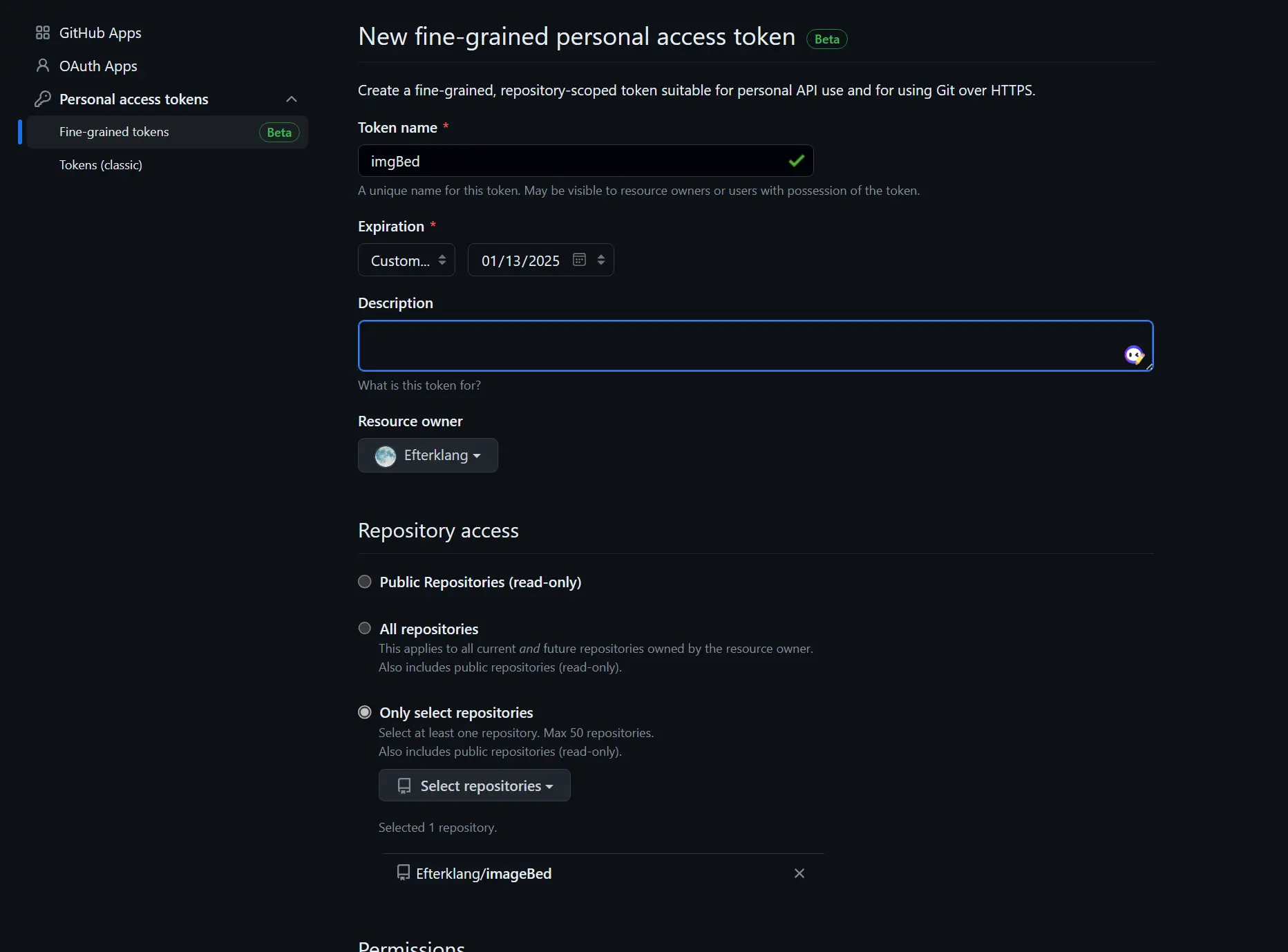
- Generate a GitHub token. Under Personal access tokens, you can choose Fine-grained tokens or Tokens (classic). The former gives more granular permission control.
PicGo
| Download Source | Address / Installation |
|---|---|
| GitHub Release | https://github.com/Molunerfinn/PicGo/releases |
| Tencent Cloud COS | https://github.com/Molunerfinn/PicGo/releases |
| Shandong University mirror | https://mirrors.sdu.edu.cn/github-release/Molunerfinn_PicGo |
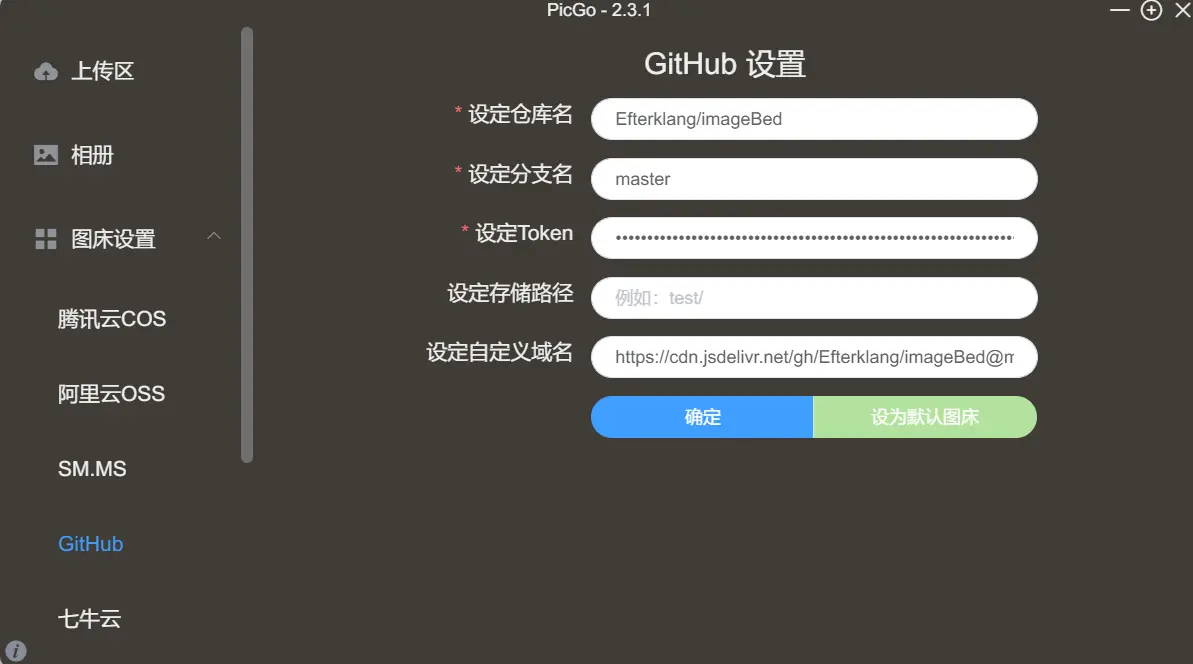
Configure the following in the image bed settings.
The custom domain can be set to https://cdn.jsdelivr.net/gh/your-repo-name@master, which improves image loading speed through the CDN.
Typora Setup
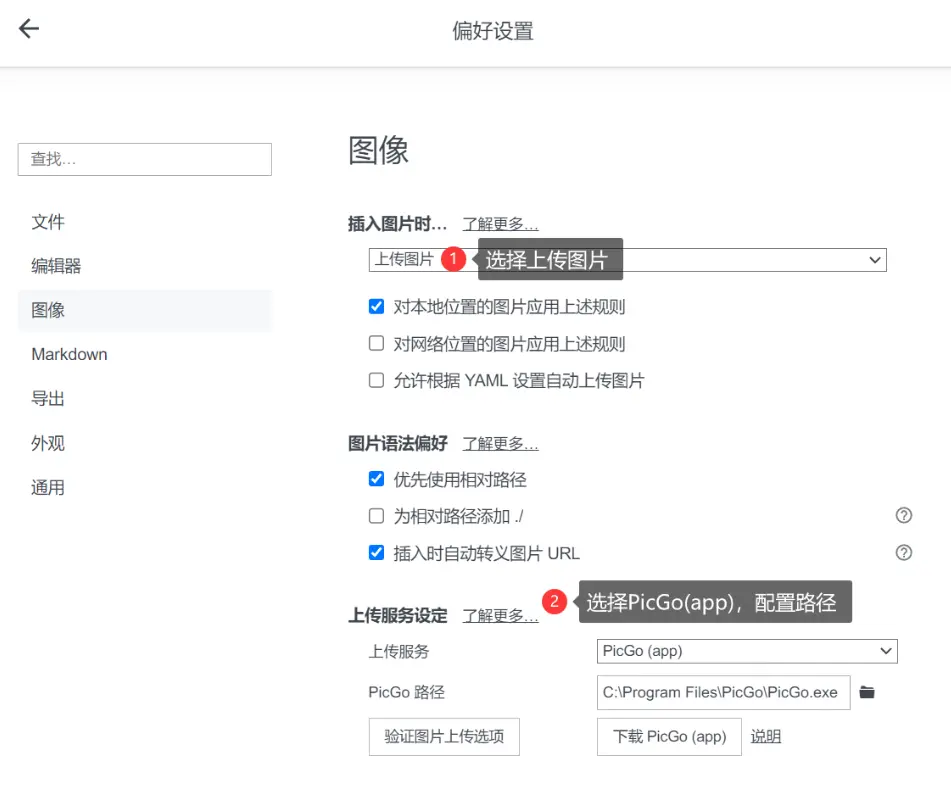
Set the language to Chinese.
Open Preferences > Images, then configure it as follows.
VSCode Setup
Install the PicGo extension, run Ctrl+Shift+P - Preferences: Open User Settings (JSON), and add the following configuration.{+ "picgo.picBed.current": "github",+ "picgo.picBed.github.branch": "master",+ "picgo.picBed.github.customUrl": "https://cdn.jsdelivr.net/gh/Efterklang/imageBed@master",+ "picgo.picBed.github.token": "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", // Do not leak this+ "picgo.picBed.github.repo": "Efterklang/imageBed",+ "picgo.customUploadName": "${mdFileName}-${dateTime}${extName}",+ "picgo.customOutputFormat": "<img src=\"${url}\" style=\"width:80%;\" alt=\"\">",}