

Use Efficient Encodings
Encode assets in formats like webp and webm. Images can be compressed with the cwebp command; videos can be converted with online tools.
Recommended formats:
- Images: webp, avif
- Videos / animated images: webm
- Fonts: woff2
Best Practice
While MP4 has been around since 1999, WebM is a relatively new file format initially released in 2010. WebM videos are much smaller than MP4 videos, but not all browsers support WebM so it makes sense to generate both.
Batch-Converting Images
Install the libwebp library to get the cwebp command. Below is the Python script I use for batch conversion.
The built-in Windows screenshot tool and QQ’s screenshot tool don’t support saving screenshots as webp;
recent versions of third-party tools like PixPin and Snipaste do.
from pathlib import Pathimport subprocessimport shutilimport argparsecovert_these_types = (".png", ".jpg", ".jpeg")def convert_to_webp(input_dir: Path, output_dir: Path): """ Convert files in the given directory (and subdirectories) to .webp. Output files are saved under the output directory, preserving the directory structure. """ for file_path in input_dir.rglob("*"): # Check whether the file is one of the types to convert if file_path.suffix.lower() in covert_these_types: # Build the output path; the / operator joins output_dir and relative_path into a new path object relative_path = file_path.relative_to(input_dir) output_path = output_dir / relative_path.with_suffix(".webp") output_path.parent.mkdir(parents=True, exist_ok=True) # Convert with the cwebp command try: subprocess.run( ["cwebp", str(file_path), "-o", str(output_path)], check=True ) except subprocess.CalledProcessError as e: print(f"Failed to convert {file_path}: {e}") else: output_path = output_dir / relative_path shutil.move(file_path, output_dir)def main(): # Create the command-line argument parser parser = argparse.ArgumentParser( description="Convert PNG, JPG, and JPEG files to WEBP format." ) parser.add_argument( "input_dir", type=str, help="Input directory containing images to convert" ) parser.add_argument( "output_dir", type=str, help="Output directory to save converted images" ) args = parser.parse_args() input_dir = Path(args.input_dir) output_dir = Path(args.output_dir) convert_to_webp(input_dir, output_dir)if __name__ == "__main__": main()[USAGE]python ./cwebp.py ../source/img/unused/ ./outputweb.dev has an article recommending replacing GIFs with video formats for better performance: Replace GIFs with videoffmpeg -i input.gif -c vp9 -b:v 0 -crf 41 output.webm
Results
Here is a before/after size comparison of this site’s images:╭───┬───────────────────┬──────┬───────────╮│ # │ name │ type │ size │├───┼───────────────────┼──────┼───────────┤│ 0 │ gallery │ dir │ 66.2 MiB ││ 1 │ gallery_origin │ dir │ 186.8 MiB ││ 2 │ thumbnails │ dir │ 19.6 MiB ││ 3 │ thumbnails_origin │ dir │ 88.0 MiB ││ 4 │ unused │ dir │ 18.4 MiB │╰───┴───────────────────┴──────┴───────────╯
- The gallery directory shrank by about 64.57%
- Original size:
gallery_origin: 186.8 MiB; 54 images (jpg, png), 3 videos (mp4) - Compressed size:
gallery: 66.2 MiB - Saved:
186.8 MiB - 66.2 MiB = 120.6 MiB
- Original size:
- The thumbnails directory shrank by about 77.73%
- Original size:
thumbnails_origin: 88.0 MiB; 100 images (jpg, png) - Compressed size:
thumbnails: 19.6 MiB - Saved:
88.0 MiB - 19.6 MiB = 68.4 MiB
- Original size:
Minify HTML/CSS/JS
See another post of mine. Consider using wilsonzlin/minify-html and ESBuild to minify HTML/CSS/JS assets.
Lazy-Loading Images
npm install hexo-native-lazy-load --savelazy_load: enable: true onlypost: false
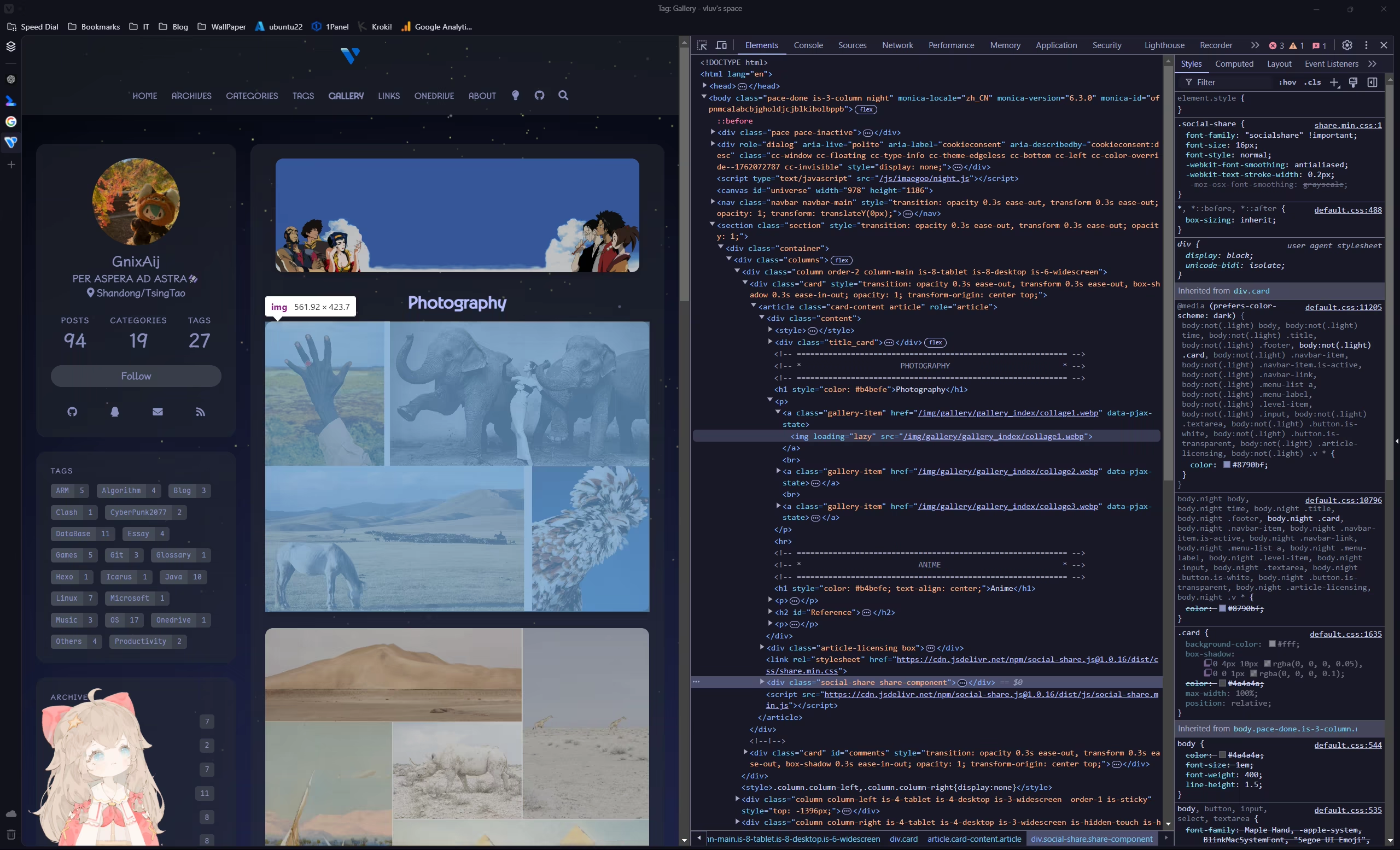
Run hexo clean, deploy, then open devtools on the page; you’ll see that img elements now carry loading="lazy".
Instant Page (Migrated Away)
instant.page uses just-in-time preloading — it preloads a page right before a user clicks on it.
Usage: add a scripts/instant-page.js file in the root directory and register a hexo injector.hexo.extend.injector.register( "body_end", '<script src="//instant.page/5.2.0" type="module" integrity="sha384-jnZyxPjiipYXnSU0ygqeac2q7CVYMbh84q0uHVRRxEtvFPiQYbXWUorga2aqZJ0z"></script>', "default",);
Update, 2026-06: this site has replaced instant.page with the browser-native Speculation Rules API. For why I migrated, how to write the rules, and how it interacts with Swup/PJAX, see Replacing instant.page with the Speculation Rules API.
Pjax
Icarus currently has only preliminary Pjax support, see https://github.com/ppoffice/hexo-theme-icarus/pull/1287
OSS + CDN
A widely used free option: GitHub as an image host with jsDelivr as the CDN. It’s free, but access from mainland China is mediocre, and it violates their terms of service — it’s an abuse of public resources.
Cloudflare offers a free quota of R2 + CDN, which is worth considering; it requires a credit card, and binding a domestic UnionPay card through PayPal works. This is what this site currently uses.